Guides
Network Segmentation for AI Homelabs with VLANs and Firewalls
Separate AI services, management traffic, and user access with clean homelab network boundaries.
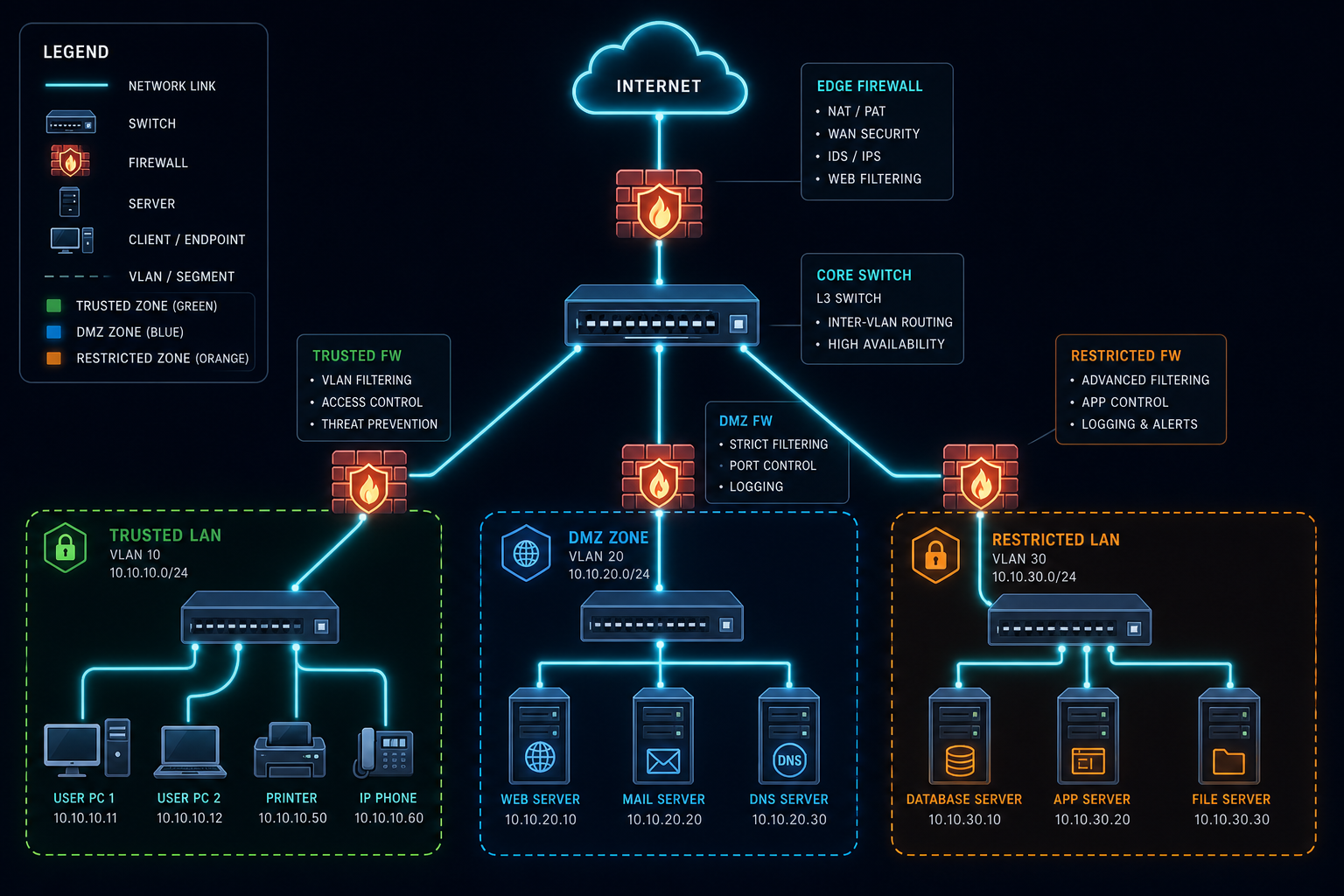
Network Segmentation for AI Homelabs with VLANs and Firewalls
Network segmentation is one of the most effective ways to reduce risk in a homelab. AI systems often mix user interfaces, databases, document stores, and management tools on the same host, so clean boundaries matter.
Split the environment by trust level
Put management interfaces, AI application traffic, and guest or user traffic on different segments. That way a compromise in one area does not automatically reach everything else.
Keep proxies in the right place
If you are publishing anything externally, place the reverse proxy in a controlled zone and keep the real services behind it. A setup based on Caddy Reverse Proxy for Self-Hosted AI with Automatic TLS is easier to defend than random port forwards.
Limit east-west traffic
Only allow the ports each service actually needs. Databases, embeddings, and model runtimes rarely need broad lateral access.
Plan for recovery
Segmentation helps containment, but it also helps recovery by making the topology easier to reason about after an incident. When combined with Proxmox Backup Strategy for AI VMs and Containers, you get a much safer base.
Conclusion
Clear network boundaries reduce mistakes and slow attackers down. Keep the segments simple, document the rules, and review them whenever the stack changes.
FAQ
Do I need VLANs for a small homelab?
Not always, but they help a lot once public and private services start mixing.
Should the AI server be on the main LAN?
Only if you understand the exposure and have strong firewall rules.
Is segmentation worth the effort?
Yes. It pays back every time you troubleshoot or harden the system.


