Guides
How to Index Local Documents Safely on a Private Server
Prepare files, metadata, and permissions so document indexing stays private and maintainable.
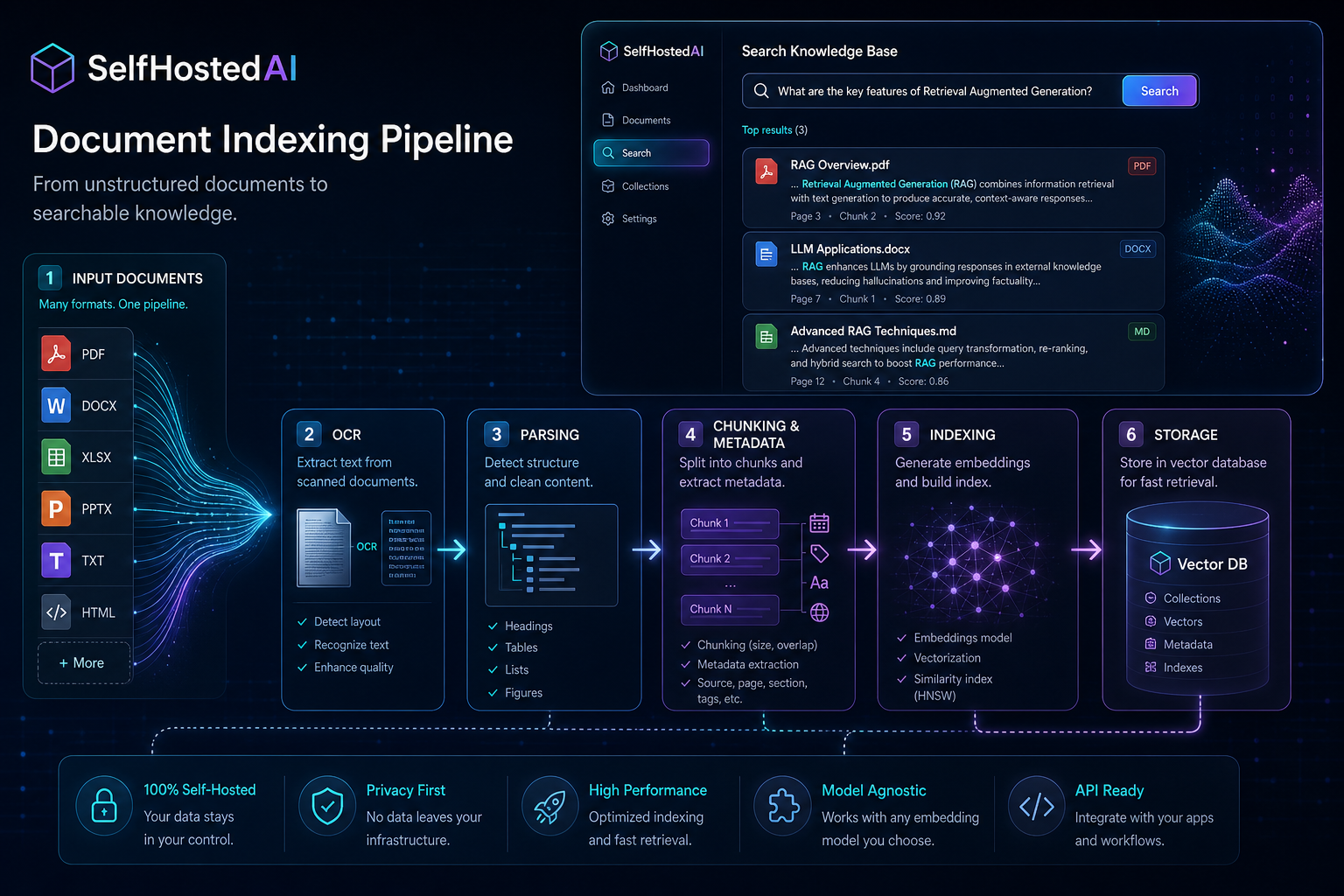
How to Index Local Documents Safely on a Private Server
Indexing local documents is powerful, but it also creates a new data store that needs care. The goal is to make search useful without accidentally exposing sensitive material or creating a maintenance burden.
Decide what should be indexed
Not every file belongs in search. Start with useful collections such as manuals, project documentation, policies, and notes. Exclude temporary files, secrets, and anything with a short shelf life.
If you need a user-friendly entry point, read Open WebUI Setup for Local Documents.
Preserve permissions and ownership
The index should respect the access model of the source data. If different teams can access different folders, do not flatten everything into one unrestricted knowledge base.
Store metadata intentionally
Keep source path, created time, version, and collection tags. Good metadata makes later troubleshooting much easier.
Back up the index and the originals
An index is not a substitute for the source documents. Back up both, test restores, and know how to rebuild the index if needed.
Read How to Secure a Self-Hosted AI Server for the security basics around stored content.
Conclusion
Safe document indexing is about discipline, not just tooling. Limit what enters the index, preserve access boundaries, and back up everything that matters.
FAQ
Should I index personal documents?
Only if you are comfortable with the data handling, storage, and access implications.
Do I need version control for documents?
It helps a lot for technical knowledge bases and policies.
What is the first thing to secure?
The storage location and access permissions are the most important first checks.


