Tutorials
Harden Docker Compose Stacks for Local AI Services
Use Docker Compose defensively with non-root containers, restricted networks, and safer secrets handling.
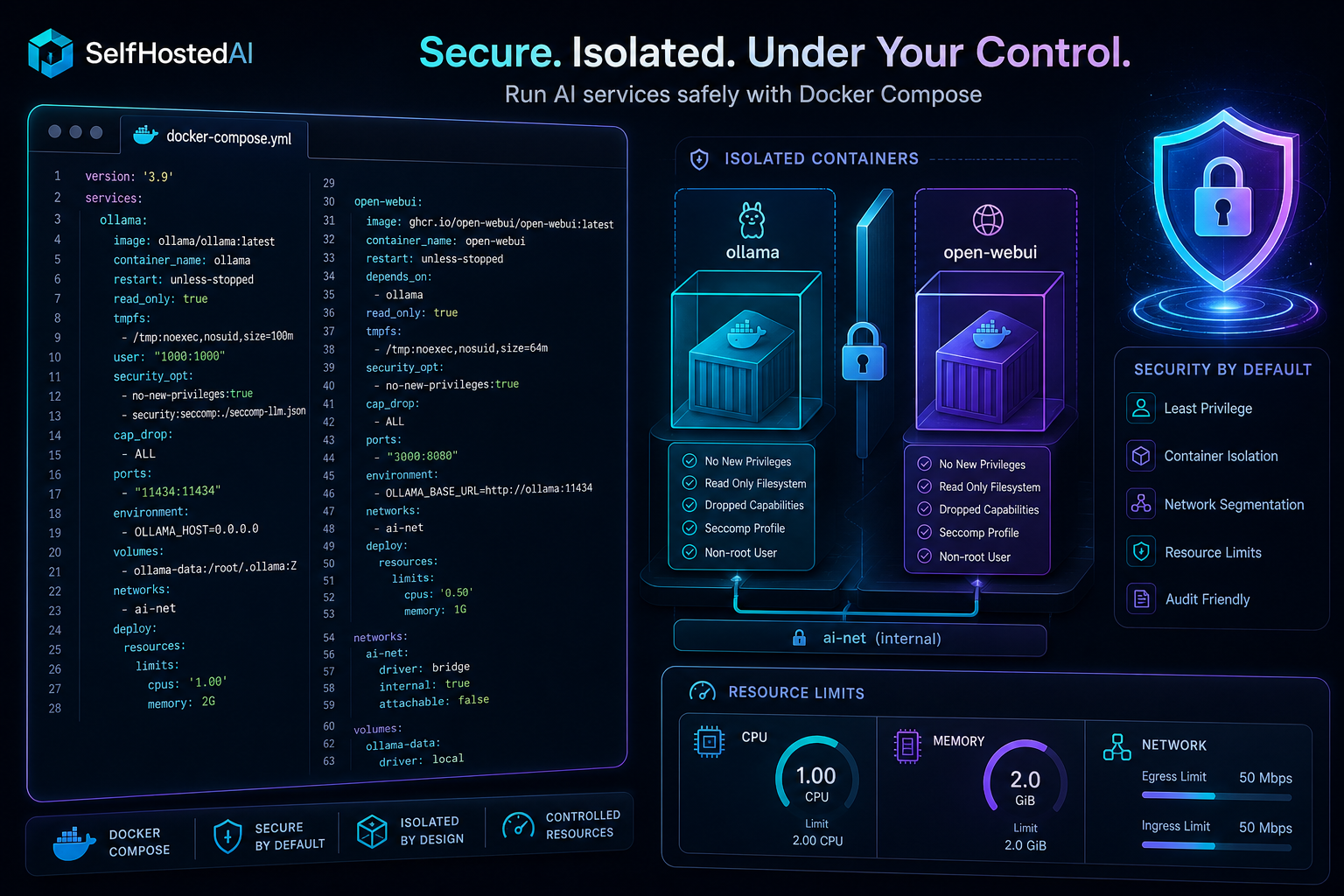
Harden Docker Compose Stacks for Local AI Services
Docker Compose is ideal for local AI, but a convenient stack can become risky if every container runs with broad access. The goal is not maximum restriction for its own sake; it is to reduce the blast radius when a service misbehaves.
Start from least privilege
Use non-root users, read-only filesystems where possible, and explicit volume mounts. If a service only needs model access, do not give it access to unrelated application data.
Separate public and private services
Put reverse proxies, UIs, and databases on different networks so only the right components can talk to each other. If you are adding a proxy layer, use Caddy Reverse Proxy for Self-Hosted AI with Automatic TLS as the front door and keep the backends hidden.
Handle secrets carefully
Environment files are convenient but easy to leak. Use Docker secrets or host-side protections where possible, and avoid baking credentials into images or Compose files that will be shared.
Limit restart and logging noise
Health checks, restart policies, and log rotation matter for stability. A noisy or crash-looping AI container can hide the signal you actually need during an incident.
For overall stack layout, revisit Docker Setup for Local AI Tools and keep the Compose file aligned with that simpler baseline.
Conclusion
Compose is safest when it is boring: small networks, limited mounts, explicit ports, and predictable restarts. Keep the stack understandable and you will spend less time recovering from surprises.
FAQ
Should every container run as root?
No. Use non-root users whenever the image supports it.
Is one Compose file enough?
Yes, if it is cleanly structured. Split out sensitive services when the file grows too complex.
Do I need a private network?
Yes, especially for databases, embedding services, and admin tools.


