Tutorials
How to Build a Self-Hosted AI Workstation with Docker and Multiple Model Runners
Design a complete local AI workstation running Ollama, Open WebUI, AnythingLLM, and TabbyAPI in Docker with shared GPU resources.

How to Build a Self-Hosted AI Workstation with Docker and Multiple Model Runners
A self-hosted AI workstation runs multiple model runners, interfaces, and tools on a single machine. When designed well, it lets you use the best tool for each job — Ollama for quick chat, Open WebUI for the user interface, AnythingLLM for document workspaces, and TabbyAPI for lightweight API serving — all sharing the same hardware.
Design principles
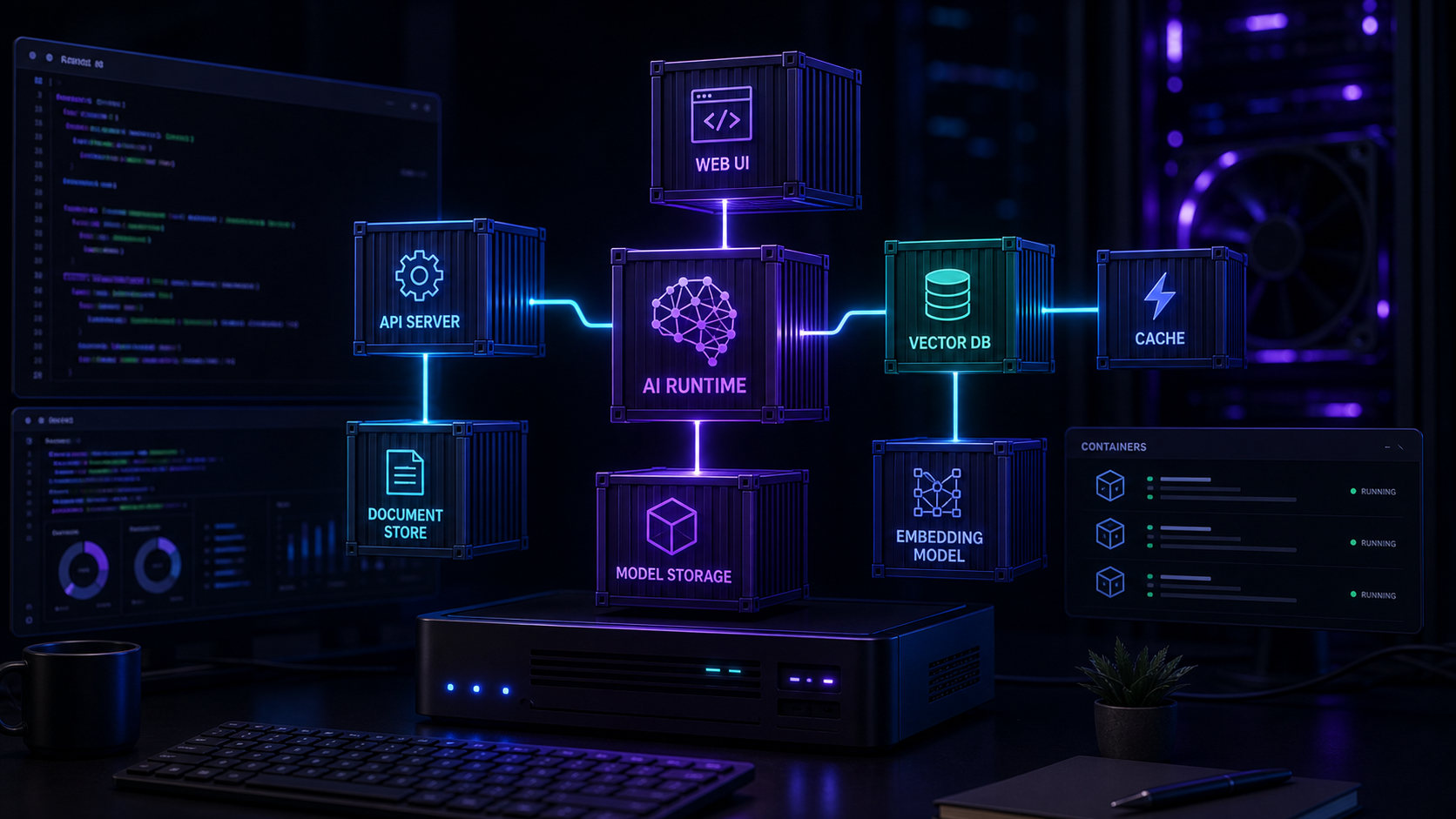
A good workstation design separates concerns while sharing resources. The model runtime layer handles inference. The interface layer provides user access. The storage layer keeps data persistent and backed up.
Share GPU resources carefully
Only one model runner can use the GPU at a time unless your runner supports concurrent model loading. Plan the service startup order and consider using a lightweight runner such as TabbyAPI or Ollama as the primary GPU-accelerated backend.
For hardware considerations, read Best Hardware for Self-Hosted AI.
Service layout
Layer 1: Model runtimes
Run Ollama as the default inference backend. Add TabbyAPI for compatibility testing and text-generation-webui in a separate Docker service for multi-format model support. Each runner gets its own port and volume mount.
Layer 2: Interface tools
Open WebUI connects to Ollama by default. AnythingLLM connects to either Ollama or a separate embedding service. Both share the same base URL for the model runtime but maintain separate data stores.
Layer 3: Supporting services
Add a reverse proxy such as Caddy for TLS and access control, a monitoring stack for observability, and a backup service for volume snapshots.
For the reverse proxy layer, see Caddy Reverse Proxy for Self-Hosted AI with Automatic TLS.
Configuration walkthrough
Docker Compose layout
Create a single Compose file with all services, each on its own internal network segment. Expose only the reverse proxy port to the host. Configure health checks so Docker restarts unresponsive services automatically.
Environment variables
Keep model configuration, API keys, and port assignments in an `.env` file. This makes the Compose file reusable across machines without editing service definitions.
Persistent volumes
Map each service's data directory to a named Docker volume. Use separate volumes for models, chat history, document indexes, and configuration. This makes backups granular and recovery straightforward.
For the Compose pattern, see Docker Compose for Self-Hosted AI: Ollama, Open WebUI, and AnythingLLM Together.
Monitoring and maintenance
Set up basic monitoring for disk usage, memory pressure, GPU utilisation, and service uptime. Schedule weekly checks to prune unused Docker images, old log files, and stale model downloads.
For monitoring setup, read Monitor Self-Hosted AI Services with Uptime, Logs, and Metrics.
Scaling considerations
A single-machine workstation works well for one to five users. Beyond that, consider separating the model runtime onto a dedicated inference server and keeping the interfaces on lighter machines.
Conclusion
A self-hosted AI workstation brings together the best tools in the ecosystem. With careful Docker orchestration, shared GPU resources, and persistent storage, you get a flexible, reproducible local AI environment that grows with your needs.
FAQ
Can I run all model runners simultaneously?
Yes, but GPU memory limits how many models can be loaded at once. Use CPU fallback for less-used runners.
What is the minimum RAM for this setup?
32 GB of system RAM is comfortable for a full stack with one loaded model. 64 GB or more is better for running multiple models.
How do I back up this workstation?
Use Docker volume backups for data, keep the Compose file in version control, and maintain an off-host copy of critical indexes and configuration.