Guides
Hardening Open WebUI Before Public Launch
Lock down Open WebUI with tighter proxy rules, safer uploads, and clear access boundaries before you publish it.
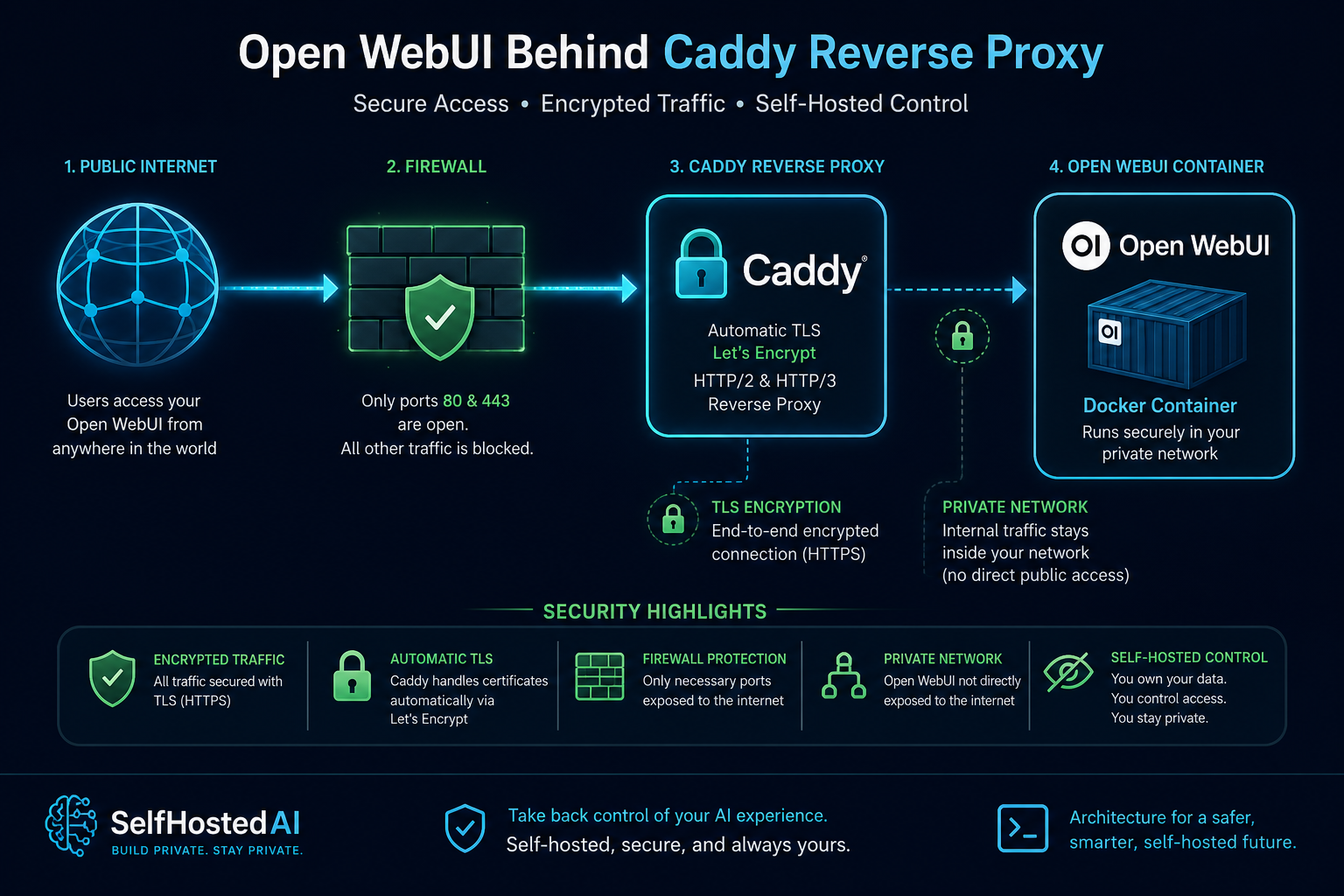
Hardening Open WebUI Before Public Launch
Open WebUI is convenient, but convenience is not a security model. Before you expose it to a wider audience, decide who should see it, what it can reach, and how you will notice suspicious activity.
Set the trust boundary
Treat the reverse proxy as the real entry point and keep the app itself private wherever possible. A setup based on Secure Public Exposure for Open WebUI Behind Caddy and Caddy Reverse Proxy for Self-Hosted AI with Automatic TLS gives you a much cleaner boundary than a raw port forward.
Keep administrative paths quiet
If the interface has admin or settings routes, make sure they are not casually reachable. Separate the everyday chat experience from anything that changes models, connectors, or document sources.
Reduce the blast radius
Uploads, document libraries, and connected services are the places where a mistake becomes an incident. Start small, allow only the file types and storage paths you actually need, and make retention explicit.
Pair app hardening with platform hardening
The application is only one layer. Follow How to Secure a Self-Hosted AI Server for the host baseline, and use Restrict Access to Private AI Dashboards with VPN and SSO if the system is meant for a known audience rather than the open internet.
Conclusion
Open WebUI can be shared safely when you treat it like infrastructure, not a toy. Put the proxy in front, keep the sensitive bits private, and verify the exact routes users can hit.


