Tutorials
Secure Public Exposure for Open WebUI Behind Caddy
Expose Open WebUI safely with TLS, authentication, rate limits, and careful route design.
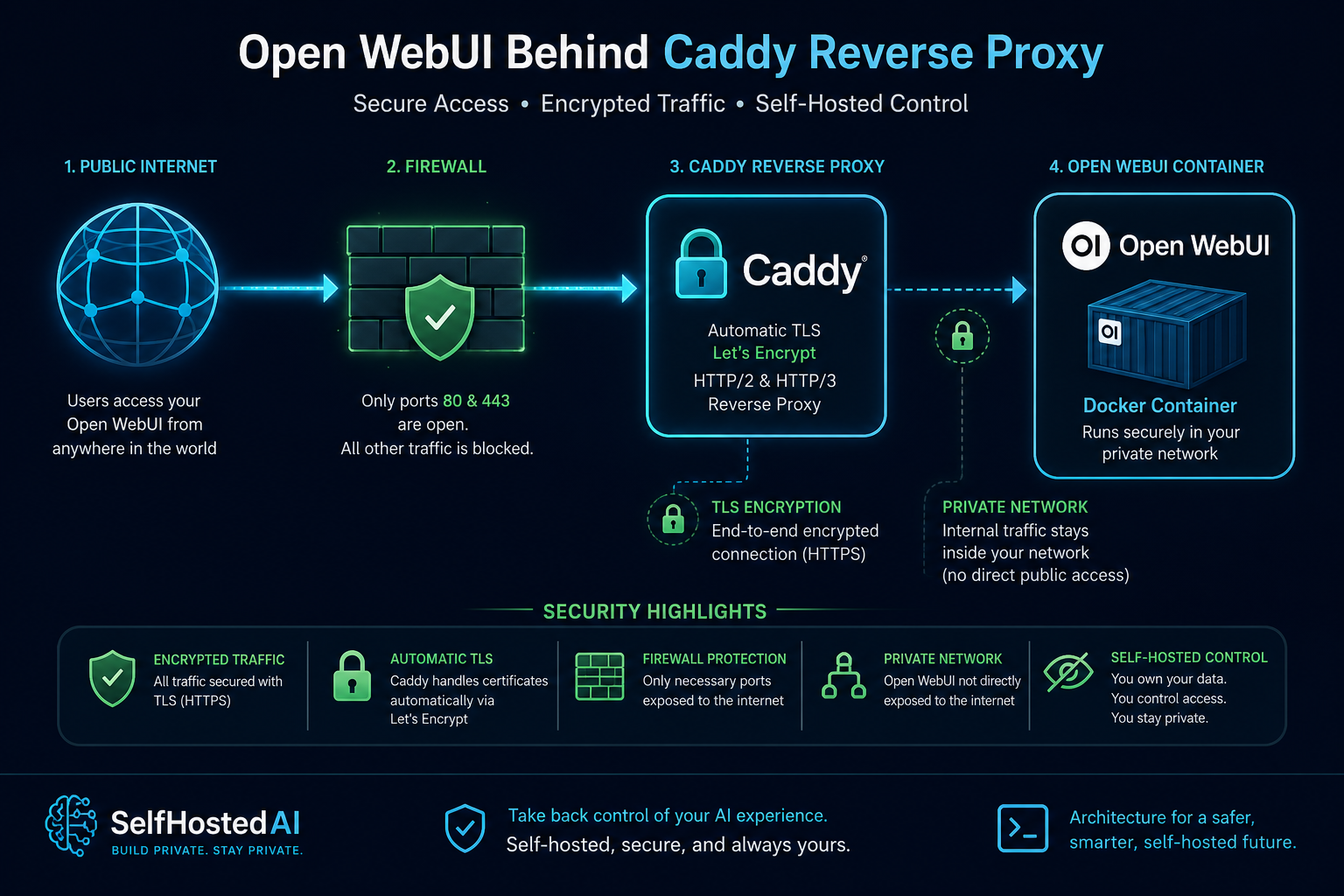
Secure Public Exposure for Open WebUI Behind Caddy
Open WebUI can be useful for a small trusted audience, but publishing it requires more than flipping on a public hostname. You need authentication, logging, sensible limits, and a clear boundary around what the service can reach.
Decide what public really means
Public does not have to mean anonymous. In many cases, a service exposed through a reverse proxy with identity checks is far safer than a bare port on the internet.
Protect the backend first
The app can only be as safe as the services behind it. Read How to Secure a Self-Hosted AI Server before you publish anything, then make sure the backend remains private.
Use Caddy for the front gate
Set up one hostname, TLS, and strong auth at the proxy. Add rate limits and block unexpected paths so the UI is not trying to defend itself alone.
For setup choices, compare Open WebUI Setup for Local Documents and Open WebUI vs AnythingLLM to decide whether the public interface should be chat-first or document-first.
Keep uploads and documents constrained
If users can upload files, be careful about where those files land, who can read them, and how long they persist. Public exposure should never create a surprise document sharing service.
Conclusion
Expose only what you can support, and put the proxy in charge of the first line of defence. With TLS, auth, and route restrictions, Open WebUI can be shared more safely.
FAQ
Is it safe to expose the UI directly?
No. Put it behind a reverse proxy and authentication.
Should uploads be enabled publicly?
Only if you understand the storage and retention implications.
Can I use this for a small team?
Yes, provided access is limited and logged.


