Use Cases
How to Set Up a Local AI Research Assistant for Papers and Technical Documents
Build a private research assistant that reads papers, extracts findings, and answers questions from your technical document collection.
How to Set Up a Local AI Research Assistant for Papers and Technical Documents
A local research assistant can save hours of reading time by extracting key findings, summarising methodologies, and answering specific questions from your document collection. The setup is straightforward, and everything stays on your machine.
What a research assistant does well
The best research assistants are not general-purpose chatbots. They are focused tools that understand document structure, can cite sources, and know when to admit they cannot find an answer. For technical documents, that means extracting methodology details, experimental results, code snippets, and references in a structured format.
For the underlying retrieval architecture, read Build a Local RAG Pipeline That Actually Answers Questions.
Choosing the right model for research
A 7B or 8B model can handle most research Q&A tasks, but a 12B to 14B model will produce more reliable answers on complex technical papers. Models with strong instruction-following and longer context windows are preferable because research questions often require synthesising information from multiple parts of a document.
Qwen 2.5 and Llama 3.1 are both strong choices. Read Mistral vs Llama vs Qwen: Choosing the Best Open-Weight Model Family for help deciding.
Setting up the pipeline
Step 1: Organise your document library
Keep papers in a clean folder structure organised by topic, project, or date. Remove duplicates and ensure filenames are descriptive. A tidy document library makes retrieval dramatically better.
Step 2: Index the documents
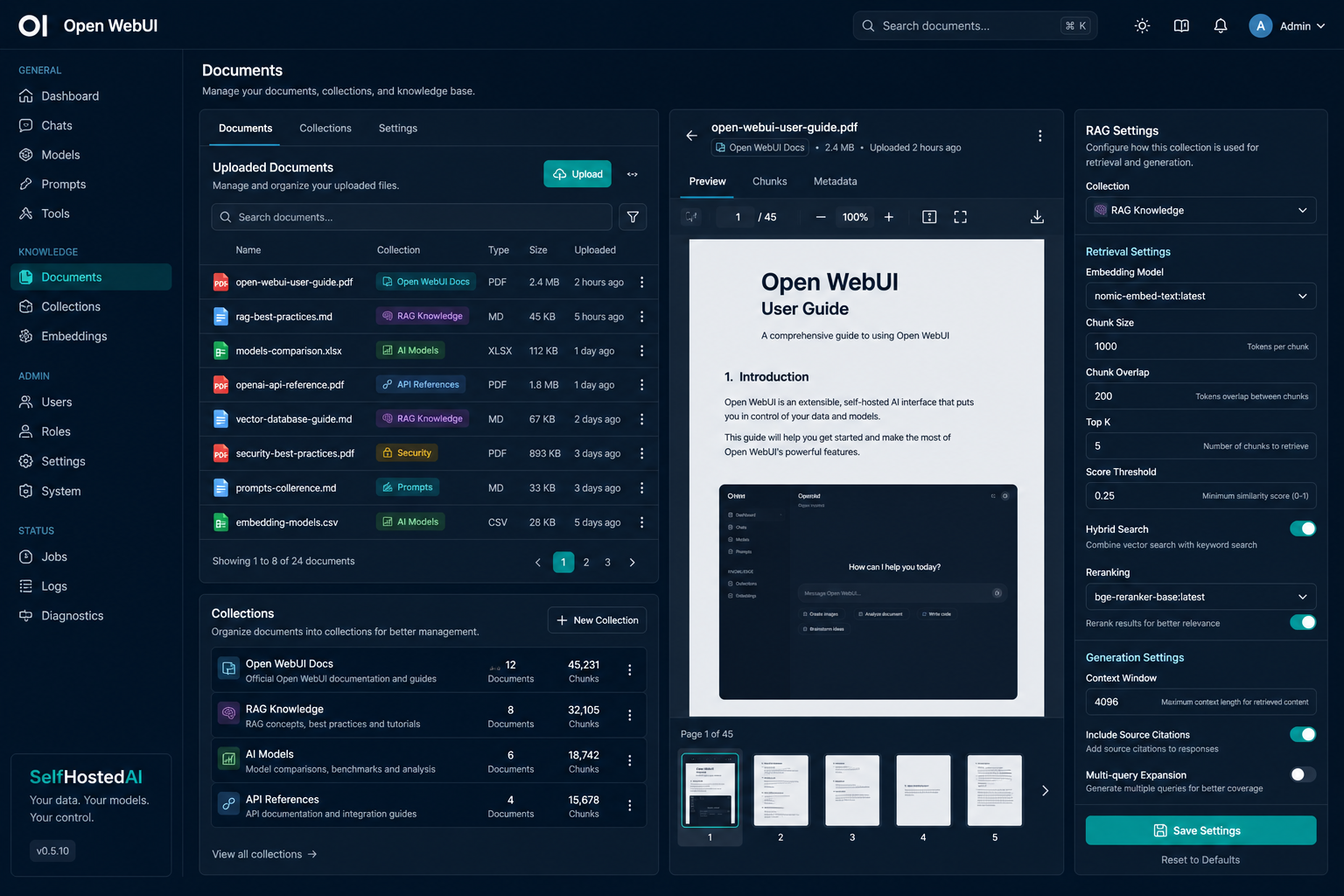
Use Open WebUI's document ingestion or a standalone tool to create a searchable index of your papers. Configure chunk sizes around 512 to 1024 tokens with moderate overlap depending on your document structure.
For indexing best practices, see How to Index Local Documents Safely on a Private Server.
Step 3: Design research-specific prompts
Create prompts that ask for specific sections: methodology, results, limitations, and open questions. A structured prompt produces structured answers that are easier to compile across multiple papers.
Using the assistant effectively
Start every session by loading the relevant paper(s) into context or pointing the RAG system at the right folder. Ask specific questions rather than broad ones: "What was the sample size in this study?" instead of "Tell me about this paper."
For improving prompt clarity, revisit Five Prompt Patterns That Fix the Most Common Local AI Frustrations.
Keeping research data private
Research documents often contain unpublished findings, proprietary data, or sensitive intellectual property. Keep the entire pipeline — ingestion, embedding, retrieval, and generation — on your own hardware. Do not route research queries through any cloud service.
Conclusion
A local research assistant turns a messy document folder into an interactive knowledge base. The setup takes an afternoon, and the time saved on literature reviews and technical Q&A quickly justifies the effort.
FAQ
Can a local model handle PDFs with complex layouts?
It depends on the PDF extraction pipeline. Use a tool that extracts text reliably from your document types before feeding it into the RAG system.
Do I need a large context window for research?
A larger context window helps when questions require synthesising information from different parts of the same document.
How do I verify the assistant's answers?
Require citations and check them against the source documents. A good RAG system makes verification straightforward.


